mirror of
https://github.com/SethCohen/github-releases-to-discord
synced 2026-09-14 20:13:23 +00:00
 meatvegsandwichandSethCohen
9fe781fdc7
meatvegsandwichandSethCohen
9fe781fdc7
* add custom_html_url parameter

* Update action.yml

* Update README.md

* Update test.yml

* fix: fixed embedMsg url property

---------

Co-authored-by: SethCohen <47002293+SethCohen@users.noreply.github.com>
144 lines
8.5 KiB
Markdown
144 lines
8.5 KiB
Markdown
# GitHub Releases To Discord Action
|
|
|
|
A GitHub Action that sends a stylized Discord webhook containing the description of a GitHub Release to a specified Discord channel. It formats the description to improve readability and includes various configuration options to customize the message.
|
|
|
|
## Features
|
|
|
|
- **Text Cleanup:**
|
|
- **Carriage Return Removal:** Automatically removes carriage return characters for clean formatting.
|
|
- **HTML Comment Stripping:** Eliminates HTML comments to remove unnecessary information.
|
|
- **Whitespace Optimization:** Reduces redundant newlines and excess spaces while preserving proper paragraph spacing.
|
|
- **Mention Conversion:** Converts GitHub mentions (e.g., `@username`) into clickable GitHub profile links for easy navigation.
|
|
- **Markdown Link Conversion:**
|
|
- **Link Removal (Optional):** Remove PR and commit links from the changelog.
|
|
- **PR Links:** Converts pull request URLs into Markdown links (e.g., `[PR #1](https://github.com/OWNER/REPO/pull/1)`).
|
|
- **Issue Links:** Converts issue URLs into Markdown links (e.g., `[Issue #1](https://github.com/OWNER/REPO/issues/1)`).
|
|
- **Changelog Links:** Converts changelog comparison URLs into concise Markdown links (e.g., `[v1.0.0...v1.1.0](https://github.com/OWNER/REPO/compare/v1.0.0...v1.1.0)`).
|
|
- **Heading Reduction (Optional):** If enabled, it reduces heading sizes for a cleaner, more compact display:
|
|
- H3 headings are converted to bold and underlined.
|
|
- H2 headings are converted to bold.
|
|
- **Description Length Management:** Ensures the release description fits within Discord's embed message limits (default 4096 characters), trimming excess text by cutting at newlines when possible or adding a continuation link.
|
|
- **Custom Embed Appearance:**
|
|
- Set a custom color for the Discord embed message.
|
|
- Optionally include a custom footer with a title, icon, and a timestamp to make the notification more informative.
|
|
- **Error Handling:** Provides clear error messages for any invalid or missing inputs, ensuring that the webhook action does not fail silently.
|
|
- **Webhook Delivery:** Sends the formatted message to the specified Discord channel via webhook, ensuring your release notifications are promptly delivered with the correct details.
|
|
|
|
---
|
|
|
|
## Output
|
|
|
|

|
|
|
|
## Configuration
|
|
|
|
| Variable | Required | Default | Description |
|
|
|-----------------|----------|-------------------------------------------------------------------------------------------------------|-------------------------------------------------|
|
|
| webhook_url | ✔ | | Discord's webhook url. Use GH repo secrets. |
|
|
| color | ❌ | "2105893" | Decimal color value for embed. |
|
|
| username | ❌ | | String username for webhook. |
|
|
| avatar_url | ❌ | | String url to webhook avatar picture. |
|
|
| custom_html_url | ❌ | | Replace github release url with custom url |
|
|
| content | ❌ | | String content for webhook. |
|
|
| footer_title | ❌ | | String title for the webhook footer. |
|
|
| footer_icon_url | ❌ | | String url for the webhook footer picture. |
|
|
| footer_timestamp| ❌ | | Boolean to enable footer timestamp. |
|
|
| max_description | ❌ | "4096" | Max length for the description. |
|
|
| remove_github_reference_links | ❌ | false | Remove any PR, commit, and issue links from the description. |
|
|
| reduce_headings | ❌ | false | Converts H3 to bold, h2 to bold & underline. |
|
|
|
|
## Example Usage
|
|
|
|
`.github/workflows/github-releases-to-discord.yml`
|
|
|
|
```yaml
|
|
on:
|
|
release:
|
|
types: [published]
|
|
|
|
jobs:
|
|
github-releases-to-discord:
|
|
runs-on: ubuntu-latest
|
|
steps:
|
|
- name: Checkout
|
|
uses: actions/checkout@v3
|
|
- name: Github Releases To Discord
|
|
uses: SethCohen/github-releases-to-discord@v1
|
|
with:
|
|
webhook_url: ${{ secrets.WEBHOOK_URL }}
|
|
color: "2105893"
|
|
username: "Release Changelog"
|
|
avatar_url: "https://cdn.discordapp.com/avatars/487431320314576937/bd64361e4ba6313d561d54e78c9e7171.png"
|
|
custom_html_url: "www.google.com"
|
|
content: "||@everyone||"
|
|
footer_title: "Changelog"
|
|
footer_icon_url: "https://cdn.discordapp.com/avatars/487431320314576937/bd64361e4ba6313d561d54e78c9e7171.png"
|
|
footer_timestamp: true
|
|
max_description: '4096'
|
|
remove_github_reference_links: true
|
|
reduce_headings: true
|
|
```
|
|
|
|
## Setup Instructions
|
|
|
|
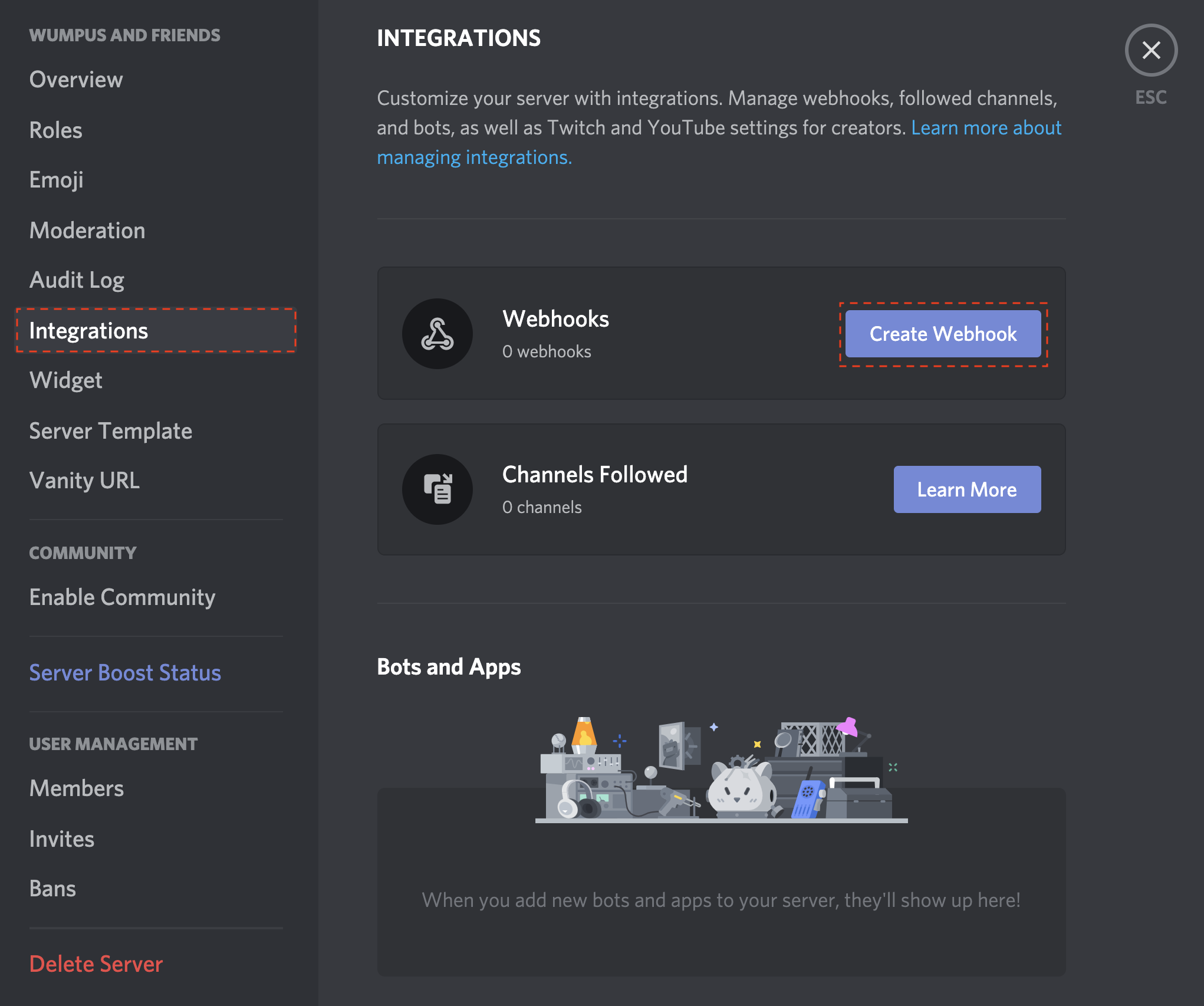
1. Open your **Server Settings** and head into the **Integrations** tab:
|
|
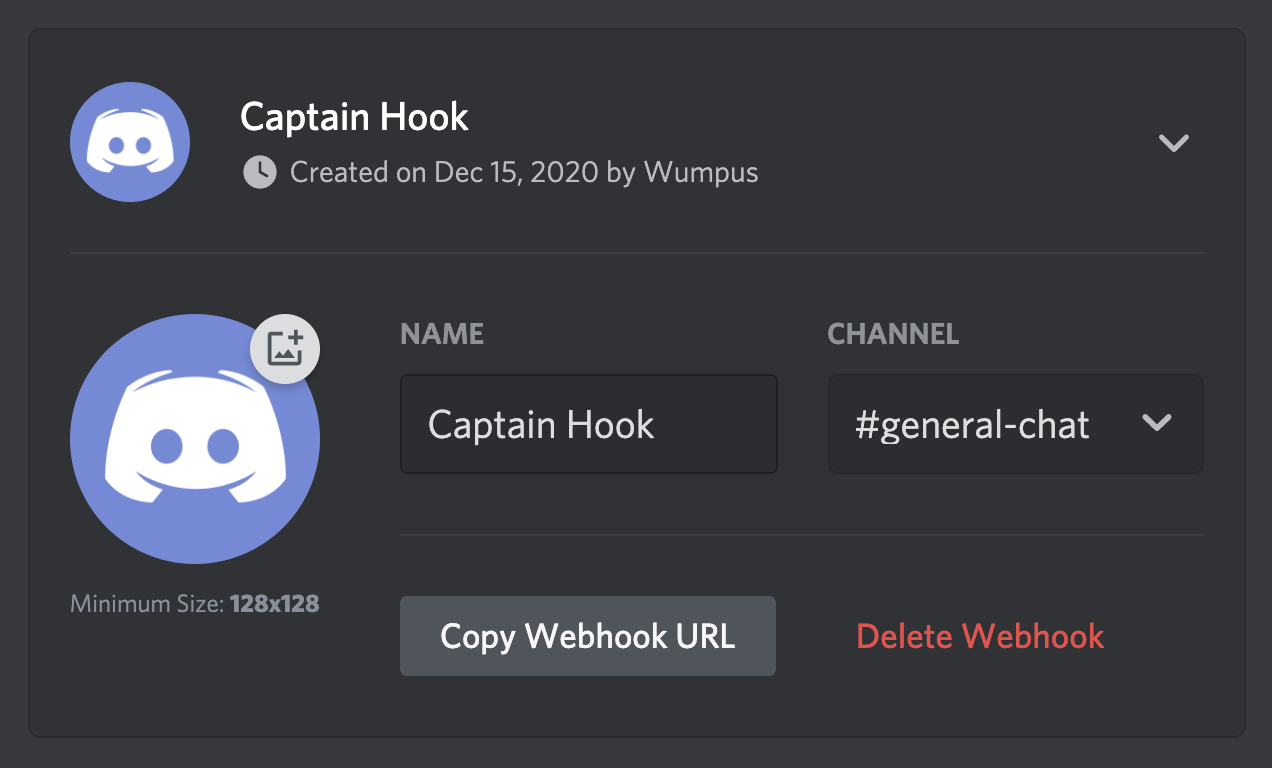
2. Click the "**Create Webhook**" button to create a new webhook!
|
|
|
|
|
|
3. Copy the webhook url
|
|
4. Create a new GitHub repository secret called WEBHOOK_URL and paste the webhook url into it.
|
|

|
|
5. Save the secret.
|
|
6. Add the secret to your action configuration.
|
|
|
|
And you're done! Whenever you create a new release, the workflow should run and, if properly setup, post to your specified Discord channel.
|
|
|
|
## Contributing
|
|
|
|
If you have suggestions for how GitHub Releases To Discord Action could be improved, or want to report a bug, open an issue! We'd love all and any contributions.
|
|
|
|
1. Fork the repository.
|
|
2. Install node and run `npm install`.
|
|
3. Install [Github Action tester `act`](https://github.com/nektos/act)
|
|
4. Create a sample test Release file to simulate a webhook payload object such as `tests/sample-test-release.json` with the following structure:
|
|
|
|
```json
|
|
{
|
|
"action": "published",
|
|
"release": {
|
|
...
|
|
},
|
|
"repository": {
|
|
...
|
|
},
|
|
"sender": {
|
|
...
|
|
}
|
|
}
|
|
```
|
|
|
|
This file will be used to test the action locally and simulate a real release event webhook payload. Refer to the [GitHub Webhook documentation](https://docs.github.com/en/webhooks/webhook-events-and-payloads?actionType=published#release) and the [Github API Documentation](https://docs.github.com/en/rest/releases/releases?apiVersion=2022-11-28#get-a-release) for more information on the webhook payload structure.
|
|
|
|
6. Fill the test json file with the necessary fields to simulate a release event.
|
|
5. Create a test file called `.env` in the main root of the project with the following environmental variables:
|
|
|
|
```bash
|
|
INPUT_WEBHOOK_URL=
|
|
INPUT_COLOR=
|
|
INPUT_USERNAME=
|
|
INPUT_AVATAR_URL=
|
|
INPUT_CONTENT=
|
|
INPUT_FOOTER_TITLE=
|
|
INPUT_FOOTER_ICON_URL=
|
|
INPUT_FOOTER_TIMESTAMP=
|
|
INPUT_MAX_DESCRIPTION=
|
|
INPUT_REDUCE_HEADINGS=
|
|
```
|
|
|
|
8. Fill the `.env` file with your chosen environmental variables values.
|
|
9. Create a Discord webhook in your server, making sure to add the webhook url to the `.env` file under `INPUT_WEBHOOK_URL=`.
|
|
10. Run the action locally with `act release -e <your.json>` (e.g., `act release -e tests/sample-test-release.json`) and check the output in your Discord server.
|
|
11. Confirm that the action works as expected.
|
|
12. Make your changes and commit them: `git commit -m '<commit_message>'`. Please follow [Conventional Commits](https://www.conventionalcommits.org/en/v1.0.0/).
|
|
13. Create the pull request.
|