mirror of
https://github.com/SethCohen/github-releases-to-discord
synced 2026-09-07 20:03:23 +00:00

GitHub Releases To Discord Action
A GitHub Action that sends a stylized Discord webhook containing the description of a GitHub Release to a specified Discord channel. It formats the description to improve readability and includes various configuration options to customize the message.
Features
- Formats release descriptions by:
- Removing carriage returns and HTML comments.
- Styling headers for better readability in Discord (optional).
- Cleaning up redundant whitespace and newlines.
- Converting common GitHub links (e.g., PRs, Issues) into clickable URLs.
- Limits description length to avoid exceeding Discord's character limits.
- Provides customization for the Discord message, including:
- Webhook URL, message color, footer text/icon, and timestamp.
- Username and avatar for the webhook.
- Optional message content outside the embed.
Output

Configuration
| Variable | Required | Default | Description |
|---|---|---|---|
| webhook_url | ✔ | Discord's webhook url. Use GH repo secrets. | |
| color | ❌ | "2105893" | Decimal color value for embed. |
| username | ❌ | String username for webhook. | |
| avatar_url | ❌ | String url to webhook avatar picture. | |
| content | ❌ | String content for webhook. | |
| footer_title | ❌ | String title for the webhook footer. | |
| footer_icon_url | ❌ | String url for the webhook footer picture. | |
| footer_timestamp | ❌ | Boolean to enable footer timestamp. | |
| max_description | ❌ | "4096" | Max length for the description. |
| reduce_headings | ❌ | false | Converts H3 to bold, h2 to bold & underline. |
Example Usage
.github/workflows/github-releases-to-discord.yml
on:
  release:
    types: [published]

jobs:
  github-releases-to-discord:
    runs-on: ubuntu-latest
    steps:
      - name: Checkout
        uses: actions/checkout@v3
      - name: Github Releases To Discord
        uses: SethCohen/github-releases-to-discord@v1.15.1
        with:
          webhook_url: ${{ secrets.WEBHOOK_URL }}
          color: "2105893"
          username: "Release Changelog"
          avatar_url: "https://cdn.discordapp.com/avatars/487431320314576937/bd64361e4ba6313d561d54e78c9e7171.png"
          content: "||@everyone||"
          footer_title: "Changelog"
          footer_icon_url: "https://cdn.discordapp.com/avatars/487431320314576937/bd64361e4ba6313d561d54e78c9e7171.png"
          footer_timestamp: true
          max_description: '4096'
          reduce_headings: true
Setup Instructions
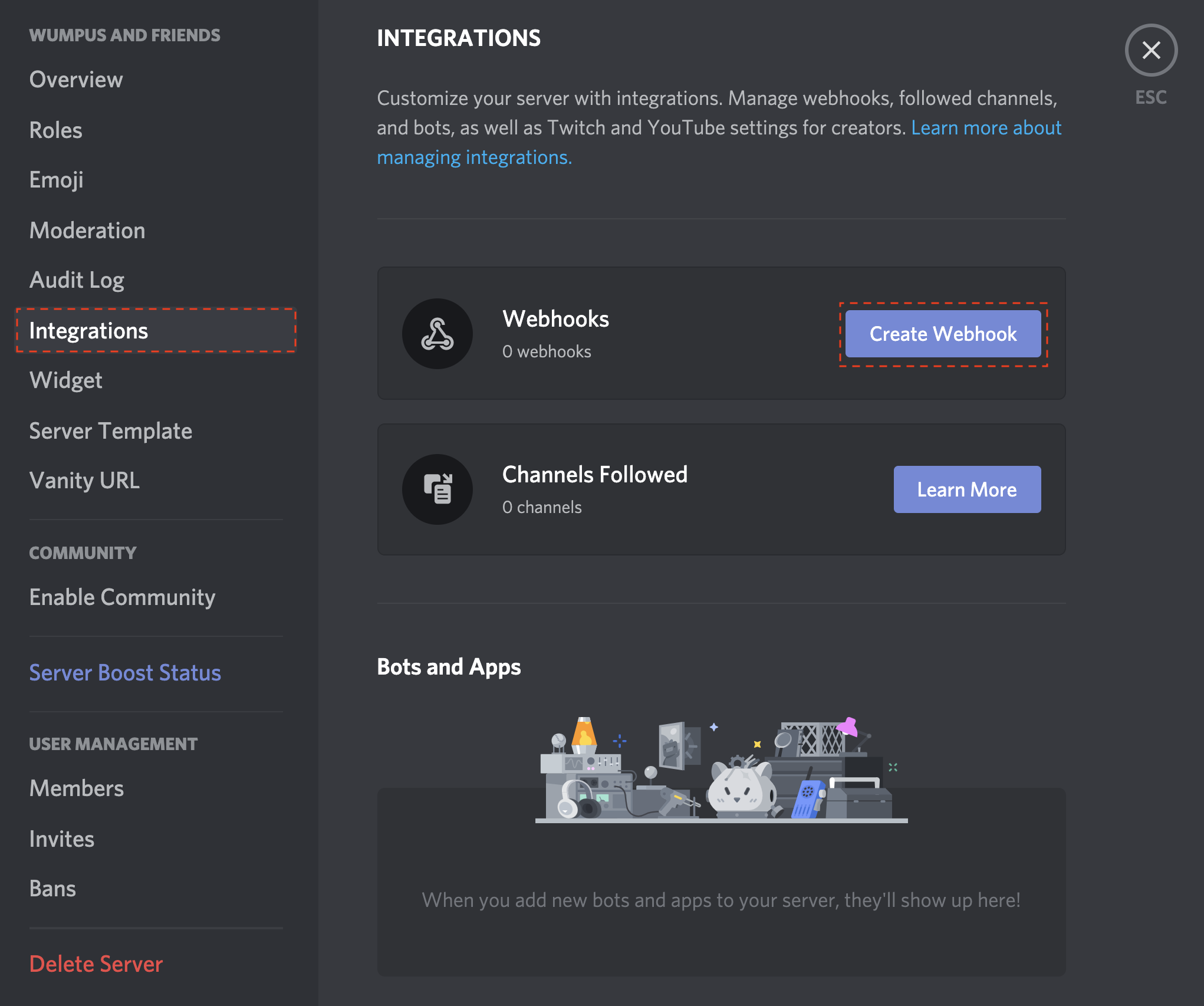
- Open your Server Settings and head into the Integrations tab:
- Click the "Create Webhook" button to create a new webhook!
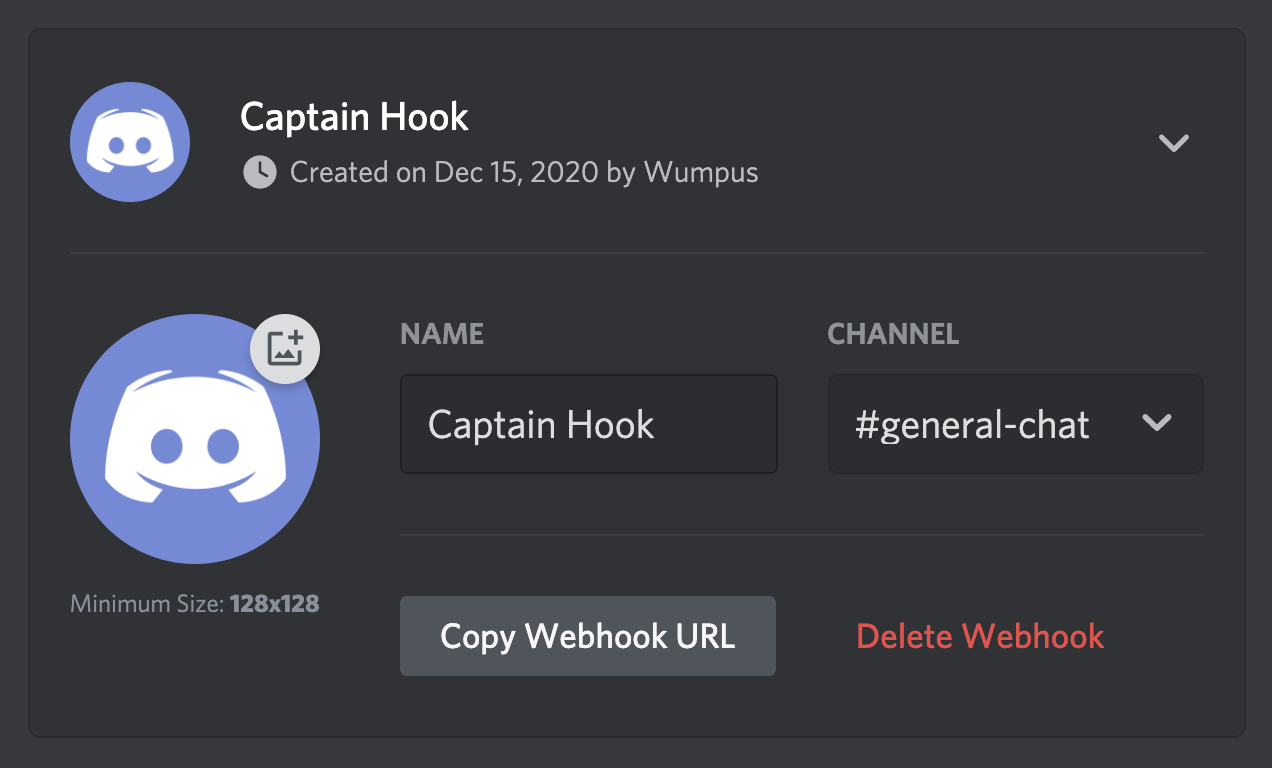
- Copy the webhook url
- Create a new GitHub repository secret called WEBHOOK_URL and paste the webhook url into it.

- Save the secret.
- Add the secret to your action configuration.
And you're done! Whenever you create a new release, the workflow should run and, if properly setup, post to your specified Discord channel.